Nutrition Scan PWA
Field teams photograph a meal and see the food, its portion and its typical pH range, without pretending a photo can measure pH.
An installable employee web app for a pharma field team. Employees sign in with their ID, photograph a meal, and AI identifies up to five foods and estimates portions. Typical pH values come from a source-linked catalogue of published measurements, and anything not in the catalogue is shown as a clearly labelled AI estimate. Every scan is kept in a personal history.
Client delivery. The product was designed and engineered as studio work for the team that owns it.
Scan a meal
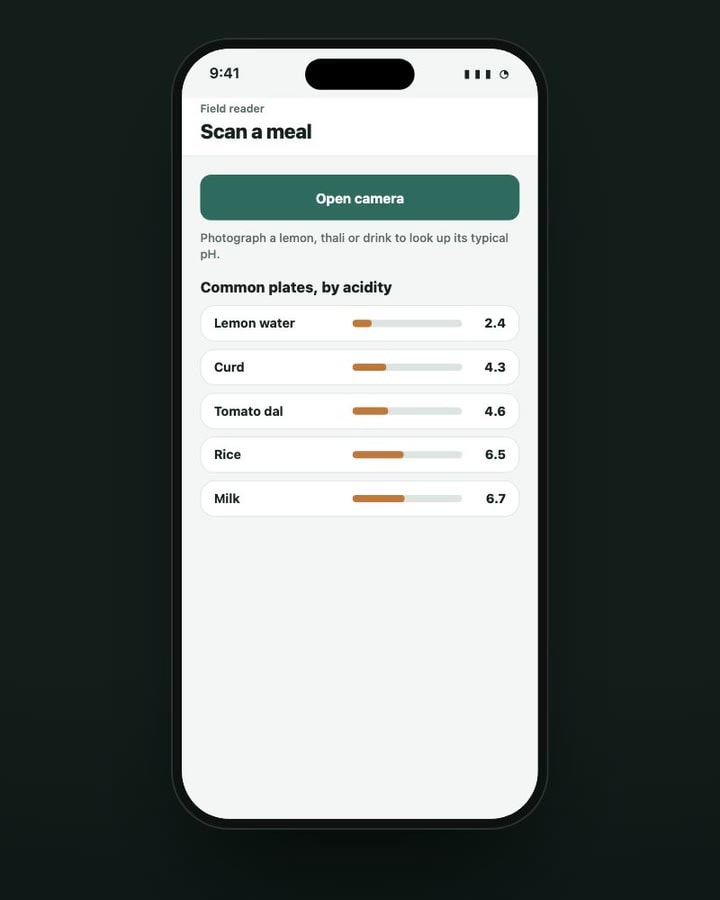
Open the camera, or start from the atlas.
The home screen shows scan counts, the last reading and a pH atlas of common plates, so the conversation can start before the camera opens. The scan accepts the camera or a photo from the gallery, and photos are resized before they are stored.
- Employee-ID sign-in, no password
- pH atlas of common plates
- Camera or photo picker
Identify
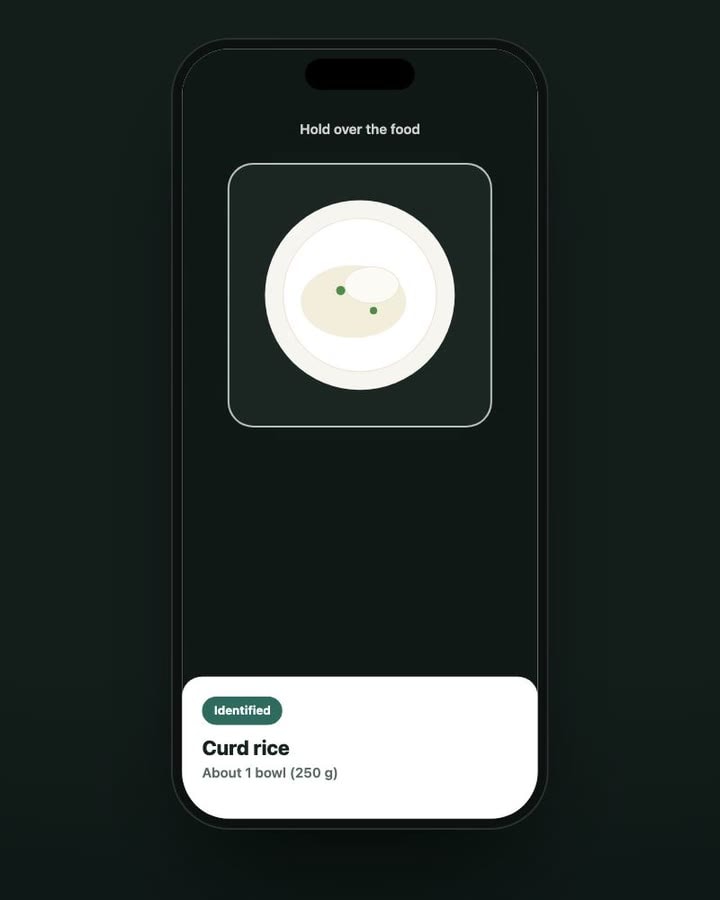
AI names the food and the portion. That’s all.
Vision AI identifies up to five foods in the photo and estimates each portion. It doesn’t decide the pH: the food name is matched against the catalogue on exact food and preparation, with broad substring matching switched off so a composite dish isn’t mistaken for one ingredient.
- Up to five foods per photo
- Portion estimate for each food
- Exact matching, no loose substring guesses
The reading
A typical range, with its source.
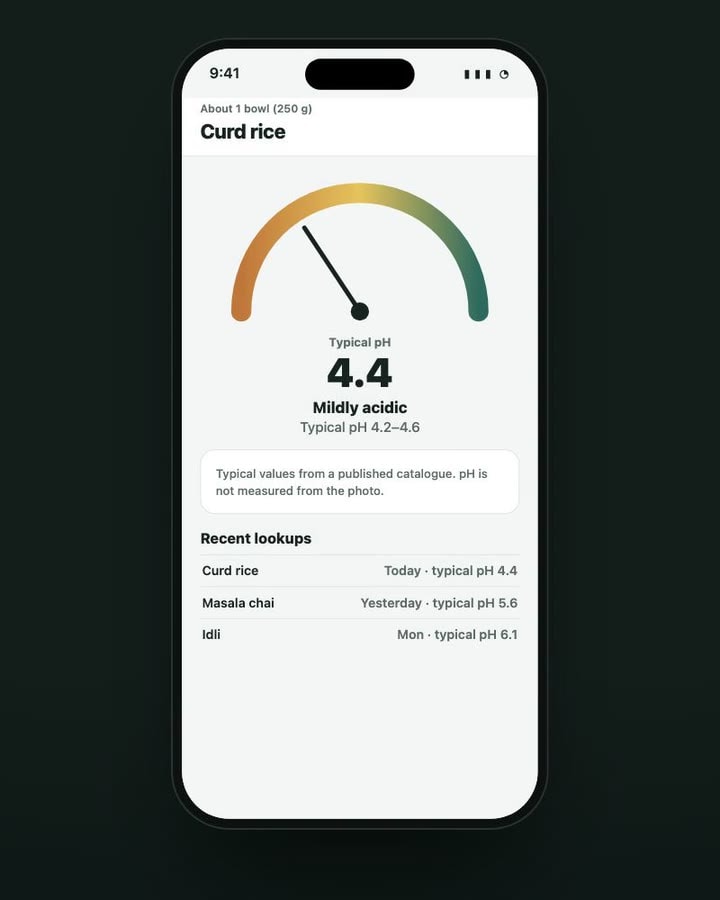
The meter shows the typical pH range for the food, using the midpoint only to position the needle, and a chemical band around pH 7 rather than any clinical risk threshold. A note under every result says the value is typical, not measured from the photo.
- Source label on each food
- Chemical bands, no clinical thresholds
- Retryable error instead of a fabricated default
Explore adjacent case studies.
If this build is close to what you have in mind, these projects show the range around it.