
Internal tools
Give your team a shared place to manage the work that does not fit your existing software.
Custom software for your business
Need an internal tool, client portal or a better way to manage documents? Tell us how your business works. For selected projects, we’ll build a free interactive prototype of one agreed core flow.
Discuss your workflowExplore the prototype before deciding on a paid build. No obligation.
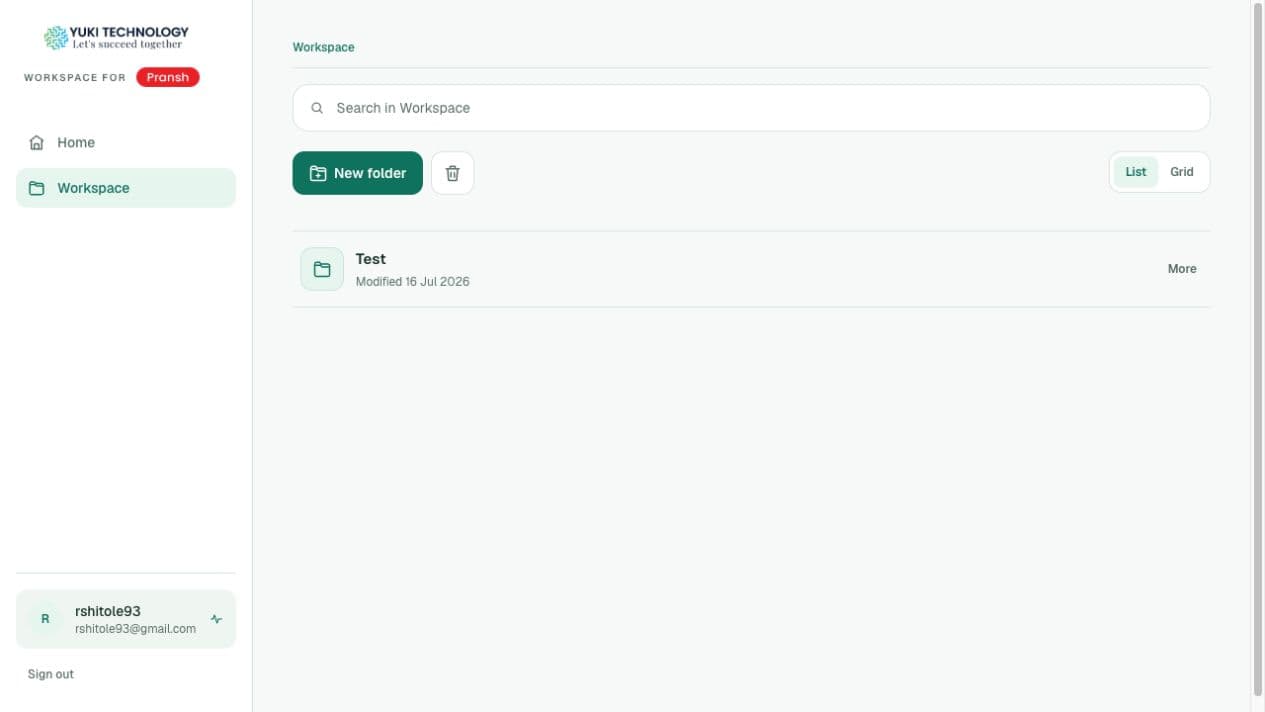
From our work: Yuki CRM’s secure file workspace. Your prototype will focus on your own workflow.
Give your team a shared place to manage the work that does not fit your existing software.
Plan a clear experience for clients to submit information, access documents and follow their next step.
Explore how files should be collected, organised and shared, with the right access for each person.
A small, useful first step
We select projects after a discovery call and agree the scope together. The prototype may use sample data and simulated integrations. Production development, live integrations and security requirements are scoped and priced separately.
Relevant work: Yuki CRM
We built a private employee workspace with passwordless sign-in, folders, file versions, upload requests and controlled external sharing. The case study covers the delivered first phase and its operating boundaries.
 Explore the Yuki CRM case study
 Tell us who needs the tool and what you’d like to change. Rahul will discuss the fit, scope and next step with you.
Considering a paid build if the prototype fits? We’ll discuss pricing after we understand the work.
Prefer to talk it through?
Book a free discovery callInternal tools for your team, portals where clients submit information and follow their next step, and document workflows for collecting, organising and sharing files with the right access. Our Yuki CRM workspace is one example: private folders, file versions, upload requests and controlled external sharing.
Yes, for projects we select after a discovery call. We agree one core flow, such as a client submitting documents or a manager approving a request, and build an interactive prototype of it at no charge. There is no obligation to continue to a paid build.
On the discovery call we map which systems the workflow touches, such as spreadsheets, email, accounting or CRM software, and whether each offers an API or an export. The prototype may simulate those connections; live integrations are scoped and priced as part of the production build.
Access is planned per role: who can view, upload, approve or share. In Yuki CRM, files are private by default, people sign in with a one-time code sent to an approved work email, external shares can expire, and activity is recorded in an append-only audit trail. Your security requirements are agreed before the production build.
No. Tell us who uses the tool, how the work happens today, whether that is spreadsheets, email threads or shared drives, and what should change. Screenshots of the current process help if you have them.
Usually 24–48 hours after we agree the core flow on the discovery call. If your workflow needs longer, we will give you a date before we start.
After we understand the users, roles, integrations, data and security requirements. The production build is scoped and priced separately from the prototype, and you decide whether to go ahead once you have tried it.